YouTube Shorts Rules for Gaming Clips in 2026
Shorts can be 3 minutes, but one claim blocks a Short over a minute worldwide. Length, Content ID, built-in clipping tools and the Partner Program thresholds, in one place.
YouTube Shorts is one of the best ways for gaming channels to find new viewers. The rules have changed a lot over the last two years, and some of them matter a lot for game footage. Here is what applies in 2026.
Length: up to 3 minutes
Since October 15, 2024, Shorts can be up to 3 minutes long. Before that, the limit was 60 seconds.
The rule that matters most for gaming
A Short longer than 1 minute with any Content ID claim is blocked worldwide.
No strike is added, and the Short becomes available again when the claim is released. But while it is blocked, nobody sees it.
Gaming clips are especially exposed, because:
- game publishers can claim gameplay through Content ID,
- licensed music inside games (radio stations, soundtracks) can be claimed by the music owner.
Practical rule: if a clip has any music you did not make, keep it at 60 seconds or less.
Built-in ways to make Shorts
On mobile: open your own long video, tap Remix > Edit into a Short. You can use up to 60 seconds, and only from your own public video without third-party claims.
In YouTube Studio (desktop): Content > choose a video > Clips and Shorts > Create clip or Short > Short. In some countries, YouTube also suggests clips with AI.
YouTube Clips (the share-a-moment feature) are 5 to 60 seconds.
Resolution
Shorts uploads are processed at up to 1080p. Vertical 9:16 is the standard shape.
Making money from Shorts
To join the YouTube Partner Program you need:
- 1,000 subscribers, plus
- 4,000 watch hours in 12 months or 10 million Shorts views in 90 days.
From February 1, 2027, new applicants will need 8,000 watch hours or 20 million Shorts views. If you are close to the current numbers, now is a good time to push.
Gaming Shorts checklist
- Music in the clip? 60 seconds or less.
- Vertical 9:16, up to 1080p.
- Your commentary or facecam, not raw gameplay only.
- Captions, since many people watch with sound off.
- Check YouTube Studio for claims after upload.
Making gaming Shorts faster
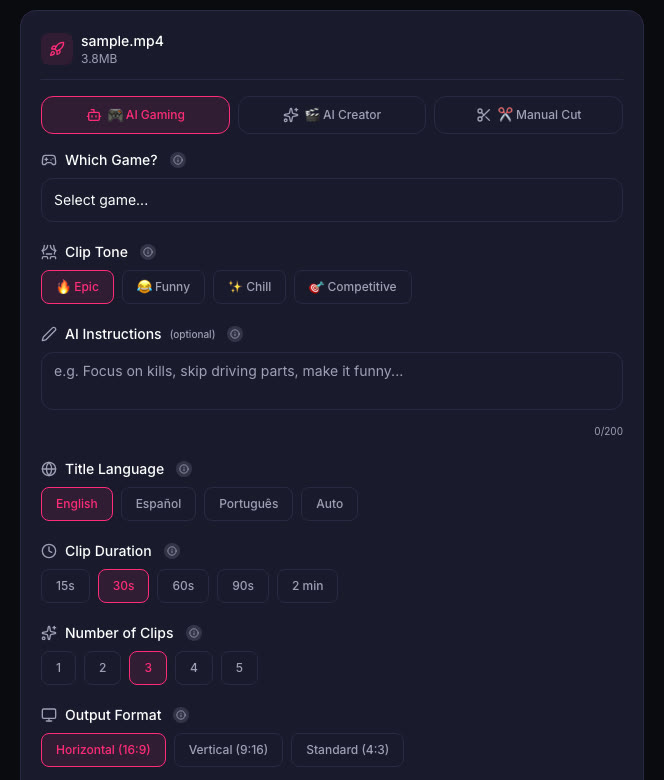
The built-in YouTube tools work from videos already on your channel. If your source is a Twitch VOD or a console recording, ViceForge cuts it into vertical clips with captions and keeps your facecam in frame. You choose the clip length, so you can keep music-heavy clips under the one-minute line.
Sources
- YouTube Help: Shorts longer than 1 minute and Content ID
- YouTube Help: Edit into a Short
- YouTube Help: Create clips and Shorts in YouTube Studio
- YouTube Help: YouTube Partner Program
- YouTube Help: Video game content and Content ID
Written with AI assistance, then fact-checked and edited by Predrag Mitrovic.
Turn your next stream into Shorts
Upload a VOD or gameplay recording and ViceForge finds the best moments, cuts vertical clips and adds captions.
Clip a video with ViceForgeMore from Guides
How to Avoid Copyright Claims When Turning VODs into Shorts
Music in the background, game soundtracks and the one-minute rule on YouTube. Where claims come from when you turn streams into Shorts, and how to keep your clips online.
Captions for Gaming Clips: Styles That Keep Viewers Watching
Many people scroll short-form feeds with sound off. Why captions matter for gaming clips, where to place them so they do not cover the action, and which styles fit which games.
How to Find the Best Moments in a Long Stream
A four-hour stream might hold five clips worth posting. Signals that point to them, a manual method that works, and how AI finds them by watching and listening.