Captions for Gaming Clips: Styles That Keep Viewers Watching
Many people scroll short-form feeds with sound off. Why captions matter for gaming clips, where to place them so they do not cover the action, and which styles fit which games.
You can make a great gaming clip, but if someone scrolls with sound off and sees no text, your commentary is lost. Captions turn your voice into something people can see. They also help viewers who are deaf or hard of hearing, and anyone watching somewhere quiet.
Why captions matter for gaming
In gaming clips, the gameplay is often only half of the moment. The other half is what you say: the panic, the joke, the "no no no no". Without captions, a viewer with sound off sees a car crash. With captions, they see your reaction to it.
Where to put captions
Placement matters more in gaming than in talking-head videos, because the screen is busy.
- Do not cover the action. The center of the screen is usually where things happen.
- Avoid the bottom edge. Shorts, TikTok and Reels put their buttons and descriptions there.
- Stay away from the HUD. Minimaps, health bars and ammo counters live in the corners.
- With a split-screen facecam, captions often fit well between the camera and the gameplay.
Caption styles and when to use them
| Style | Looks like | Best for |
|---|---|---|
| Classic | Clean white text with outline | Any game, tutorials, tips |
| Bold | Large, heavy text | Fast reactions, shooters |
| Neon | Glowing, colorful | Night scenes, racing, city games |
| Minimal | Small, light | Story moments, calm games |
| Animated | Words pop as they are said | High-energy clips, funny moments |
Animated captions, where each word appears as it is spoken, are popular in short-form because they pull the eye along with the speech.
Keep captions readable
- Short lines. 3 to 6 words at a time.
- High contrast. An outline or shadow keeps text readable on any background.
- Check names and game terms. Automatic speech recognition often gets game words and player names wrong.
- Do not caption everything. Long silences do not need text.
Captions in ViceForge
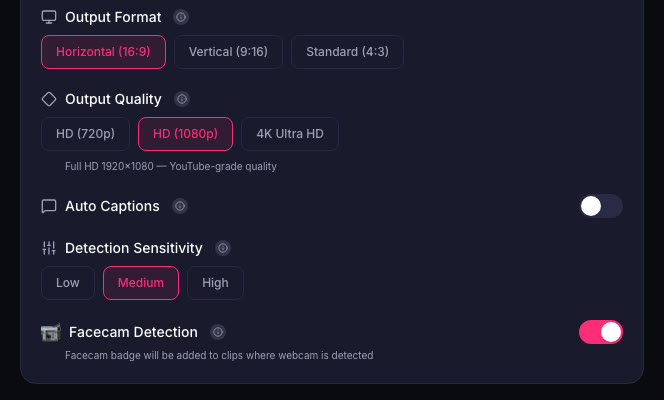
ViceForge adds captions automatically when it cuts your clips. Free accounts get 2 caption styles, paid plans get all 5, including Animated. You pick the style before processing, then check the result before downloading.
Quick checklist
- Captions on every clip with speech.
- Not over the action, not at the bottom edge, not over the HUD.
- Short lines, high contrast.
- Style that fits the game and the mood.
- Fix names and game terms.
Sources
- ViceForge: Pricing and caption styles by plan
Written with AI assistance, then fact-checked and edited by Predrag Mitrovic.
Turn your next stream into Shorts
Upload a VOD or gameplay recording and ViceForge finds the best moments, cuts vertical clips and adds captions.
Clip a video with ViceForgeMore from Guides
How to Avoid Copyright Claims When Turning VODs into Shorts
Music in the background, game soundtracks and the one-minute rule on YouTube. Where claims come from when you turn streams into Shorts, and how to keep your clips online.
How to Find the Best Moments in a Long Stream
A four-hour stream might hold five clips worth posting. Signals that point to them, a manual method that works, and how AI finds them by watching and listening.
How to Clip a Twitch Stream from a VOD
Three ways to turn a past Twitch broadcast into clips: Twitch Clips, the Highlighter, and downloading the VOD for vertical Shorts. Limits, steps and when to use each.