Elgato Wave Go: $99.99 Wireless Mic for Mobile Creators
Elgato's Wave Go is a clip-on wireless mic for phones and tablets. It weighs seven grams, includes a Smart Handle charger, and works with a USB-C receiver.
Elgato's new Wave Go is a $99.99 wireless microphone that clips onto your clothes for hands-free recording on phones and tablets. Available today, it competes with DJI's Mic Mini and targets vloggers, IRL streamers and mobile creators who need portable audio without desktop gear.
What the Wave Go offers
The Wave Go is tiny, about the size of an AirPod, and weighs seven grams. It clips onto clothes with a magnetic clip and plate. A single button powers it on, mutes it, or double-press to launch your phone's camera app.
Elgato promises "broadcast-quality" audio with a condenser capsule that supports EQ shift, auto gain and noise cancellation. The microphone connects to a USB-C receiver over a 2.4GHz wireless signal with latency around 24ms or less. No Bluetooth, so no pairing delays or dropouts.
The receiver works with iPhones, Android devices and iPads. You can also plug it into a desktop PC and use the Wave Go with Elgato's Wave Link 3.0 software.
Smart Handle: interview mic and charger
The Wave Go comes with a bundled Smart Handle that turns it into a full-size interview mic. The microphone slots into the top of the handle, which has its own power and mute button with LED indicators for power, mute and pairing status.
The handle also charges the Wave Go. One charge gives around eight hours of recording. The handle holds five more charges, so 48 hours total. A 10-minute quick charge gets you about an hour of recording time.
The mic, receiver and Smart Handle all fit inside the included case. The case does not have a battery, so the Smart Handle is your main way to charge on the go.
Wave Go mobile app
Elgato's Wave Go app lets you:
- Monitor live audio levels
- Enable noise reduction
- Toggle automatic leveling
- Check battery status
The app gives you control over the audio without stopping the recording or switching apps.
Quick checklist for mobile creators
- Clip it on: Magnetic clip, no cables, no lav mic wires.
- Check the app: Turn on noise reduction and auto leveling before you start.
- Charge the handle: Five charges in the Smart Handle means you can record all day.
- Quick charge: 10 minutes gets you an hour if you forget to charge overnight.
- Desktop option: Plug the receiver into a USB-C port and use Wave Link 3.0 if you want to record on a PC.
- Case included: The mic, receiver and Smart Handle fit inside the case for transport.
Who this is for
The Wave Go is built for creators who record on phones and tablets. If you do IRL streams, vlogs, interviews or podcast-style videos on the move, this microphone gives you better audio than your phone's built-in mic without carrying a full audio setup.
At $99.99, it sits in the same price range as DJI's Mic Mini. A second transmitter is available for $29.99 if you want to record two voices at once.
Turn mobile recordings into clips
Once you have clean audio from the Wave Go, upload your video to ViceForge and choose AI Creator. The AI finds the best moments in talk, IRL and podcast-style videos, adds captions and crops to vertical for Shorts, Reels and TikTok.
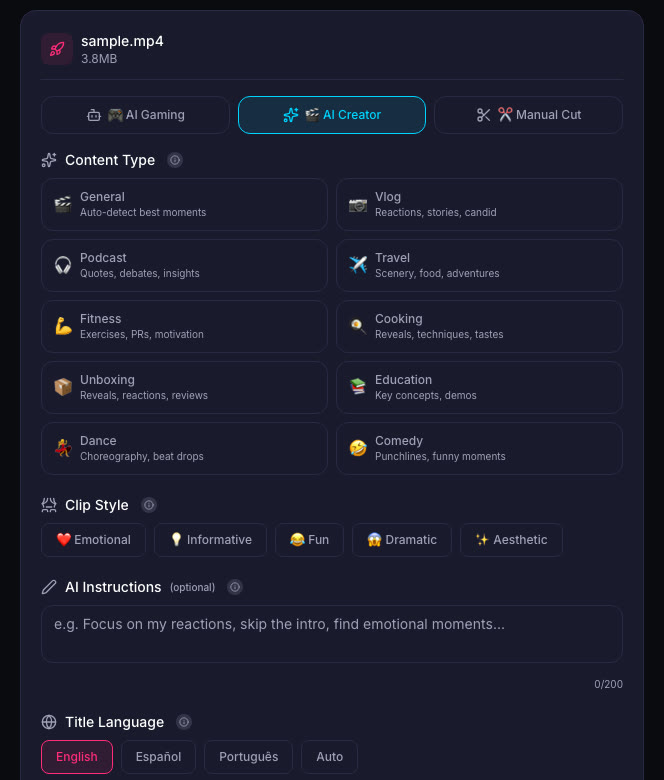
The Wave Go gives you the audio. ViceForge gives you the clips.
Sources
Written with AI assistance, then fact-checked and edited by Predrag Mitrovic.
Turn your next stream into Shorts
Upload a VOD or gameplay recording and ViceForge finds the best moments, cuts vertical clips and adds captions.
Clip a video with ViceForgeMore from Guides
How to Avoid Copyright Claims When Turning VODs into Shorts
Music in the background, game soundtracks and the one-minute rule on YouTube. Where claims come from when you turn streams into Shorts, and how to keep your clips online.
Captions for Gaming Clips: Styles That Keep Viewers Watching
Many people scroll short-form feeds with sound off. Why captions matter for gaming clips, where to place them so they do not cover the action, and which styles fit which games.

How to Find the Best Moments in a Long Stream
A four-hour stream might hold five clips worth posting. Signals that point to them, a manual method that works, and how AI finds them by watching and listening.