Virgin Media Pays $891 to Play GTA 6: How to Enter
Virgin Media Ireland is running a competition to pay one gamer to play GTA 6 for eight hours and post a review. Here is how to enter, what the job requires, and how streamers can use it for content.
Virgin Media Ireland is running a competition to pay one gamer to play GTA 6 for eight hours and post a review. Here is how to enter, what the job requires, and how streamers can use it for content.
What the competition offers
Virgin Media Ireland will pay the winner €800 (approximately $891 USD based on October 27, 2026 exchange rates) at €100 per hour for eight hours of gameplay. The company will also cover the cost of GTA 6, so the winner does not need to buy the game.
The winner can split the eight hours across an entire week instead of playing for eight consecutive hours. After completing the gameplay, they must post an honest review on social media and tag Virgin Media Ireland.
How to enter
Virgin Media has outlined three steps:
-
Complete the application form. Write 100 to 200 words explaining why you should be selected. The company says to focus on your passion for the game rather than creating a polished application.
-
Wait for the selection. Virgin Media will choose a winner and contact them within seven days after the application period closes.
-
Play and review. The winner receives their copy of GTA 6, plays for eight hours on their own schedule, and posts an honest review tagging Virgin Media Ireland.
Virgin Media has not specified an application deadline. If you plan to apply, check the competition page for updates.
What streamers should know
The review requirement is public. The winner must post their review on social media and tag Virgin Media Ireland. That means the review will be visible to your audience, and if you are a streamer or clip creator, your followers will see it.
Consider streaming or creating clips. If you are selected, you can mention the competition in your content.
The review is honest. Virgin Media asks for an honest review, not a promotional post. If you are selected, your audience will expect your real opinion.
How to use it for content
If you enter and are not selected, you can still create content around the competition. Here are a few ideas:
-
Application video. Record your application and post it as a Short. Explain why you want the job and what you would focus on during your eight hours.
-
Reaction to the winner. If Virgin Media announces the winner publicly, react to the announcement and share what you would have done differently.
-
Your own eight-hour challenge. Play GTA 6 for eight hours during launch week and post your own review. You will not get paid, but you can create a series of clips from the session.
When you clip your GTA 6 gameplay, keep radio music in mind. Licensed music on the radio can be claimed on YouTube or muted on Twitch. See GTA 6 Radio Music and Copyright Claims: Keep Your Clips Online for how to plan around it.
Quick checklist
- Complete the application form with 100 to 200 words
- Focus on your passion for GTA 6, not a polished application
- Wait for Virgin Media to contact you within seven days after the application period closes
- If selected, receive your copy of GTA 6
- Play for eight hours on your own schedule
- Post an honest review on social media and tag Virgin Media Ireland
Clipping your GTA 6 gameplay
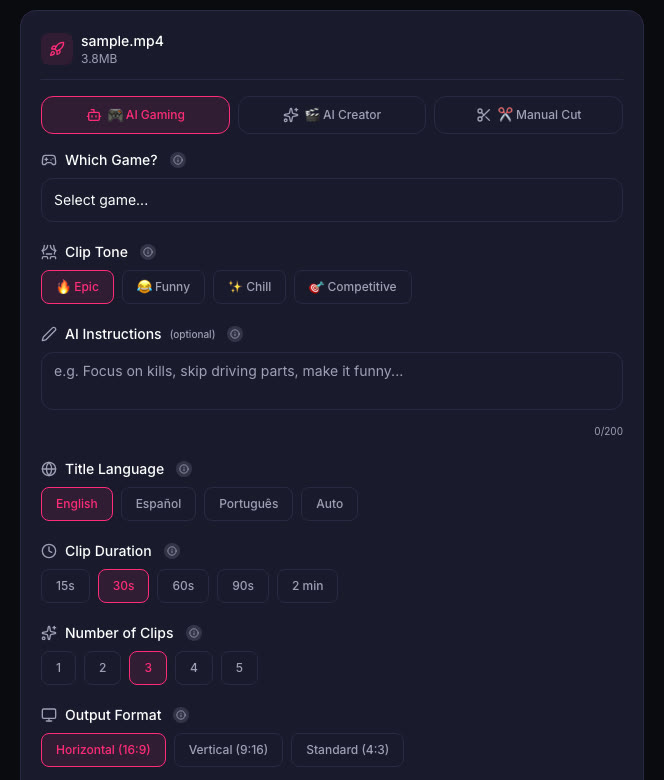
Whether you win the competition or not, you will want to clip your GTA 6 gameplay. ViceForge has a GTA game profile in AI Gaming mode that finds action, kills, chases, crashes and big reactions. You pick the clip length, and clips come out in Vertical (9:16) for Shorts, Reels and TikTok, or Horizontal (16:9) for YouTube.
Sources
- Dexerto: Virgin Media wants to pay someone $900 to play GTA 6 for eight hours (Competition page referenced in article)
Written with AI assistance, then fact-checked and edited by Predrag Mitrovic.
Turn your next stream into Shorts
Upload a VOD or gameplay recording and ViceForge finds the best moments, cuts vertical clips and adds captions.
Clip a video with ViceForgeMore from GTA 6 News
Report: GTA 6 Review Codes Out, Reviews Drop November 18
Insider Gaming reports GTA 6 reviews go live November 18, one day before launch. Here's how to plan your coverage and handle spoilers.
Rockstar Union Vote Starts November 12, Same Day as GTA 6 Pre-Load
UK Rockstar developers vote on unionization November 12-26. The vote covers pay, overtime, AI policies and runs through GTA 6 launch week.
GTA 6 is 210GB on PS5: Clear Your Drive Before November 12
GTA 6 requires 210GB on PS5 according to PlayStation Store data. Pre-load starts November 12, one week before launch. Here's what to delete now.