GTA 6 is 210GB on PS5: Clear Your Drive Before November 12
GTA 6 requires 210GB on PS5 according to PlayStation Store data. Pre-load starts November 12, one week before launch. Here's what to delete now.
GTA 6 is 210GB on PS5. You need to clear space before pre-load starts November 12.
The reported file size
PlayStation Game Size reported the download size at 210GB on PS5, and Insider Gaming confirmed it independently. Rockstar has not officially announced the number, but the figure comes from PlayStation Store data.
For comparison, GTA 5 is 105GB on PC and Red Dead Redemption 2 is 150GB. GTA 6's 210GB is double GTA 5's file size and 60GB larger than Red Dead 2. Insider Gaming calls it one of the largest games ever made by base file size.
What 210GB means for your drive
The base PS5 has 667GB of usable storage. GTA 6 takes up nearly a third of that. If you have Call of Duty, NBA 2K, or other large games installed, you will need to delete them to make room.
The Xbox Series X|S file size has not been confirmed, but it is likely similar. PC players will have to wait for a port, and that version may be different.
Pre-load starts November 12
Rockstar confirmed that pre-load opens November 12, one week before the November 19 launch. If you pre-order the digital edition, you can start downloading that day. Physical editions contain a download code, so there is no disc to skip the download.
Even with pre-load, there will likely be a day-one patch on November 19. Starting early gives you time to finish the base download and any updates before launch.
Quick checklist
- Check your storage now. Go to Settings > Storage on PS5 or Xbox and see how much space is free.
- Delete old games. If you have less than 250GB free, delete games you are not playing. You can always reinstall them later.
- Pre-order before November 12. Digital pre-orders can pre-load starting that day. Physical editions still require the full download.
- Plan for a day-one patch. Assume there will be an update on November 19. Start the download early so you are ready when the game unlocks.
- Test your internet speed. A 210GB download on a 50 Mbps connection takes about 9 hours. On 100 Mbps, it takes 4 to 5 hours. If your connection is slow, start the download as soon as pre-load opens.
What it means for streamers and clip creators
If you plan to stream or record GTA 6 on launch day, install the game before midnight. Starting early gives you time to finish the download and test your setup before the game unlocks.
Pre-load gives you a week to finish the download and test your setup. Use that time to check your capture settings, clear space for recordings, and make sure your stream is ready. See GTA 6 Launch Day Streaming Checklist for the full list.
Cutting clips from long sessions
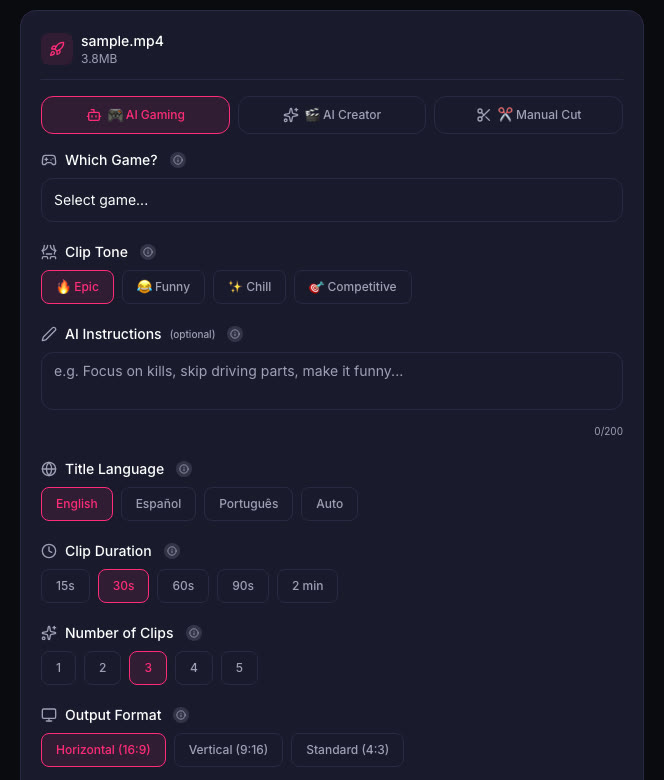
Plan for storage space for both the game and your recordings. When you turn those recordings into clips, ViceForge picks the best moments from the full video. You upload the file or paste a YouTube link, choose the GTA game profile, and the AI finds kills, chases, crashes and big reactions. Each clip is ranked by a score from 0 to 100, and the top one is marked "Post this first". You can edit or remove any clip before downloading.
Sources
Written with AI assistance, then fact-checked and edited by Predrag Mitrovic.
Turn your next stream into Shorts
Upload a VOD or gameplay recording and ViceForge finds the best moments, cuts vertical clips and adds captions.
Clip a video with ViceForgeMore from GTA 6 News
Report: GTA 6 Review Codes Out, Reviews Drop November 18
Insider Gaming reports GTA 6 reviews go live November 18, one day before launch. Here's how to plan your coverage and handle spoilers.
Rockstar Union Vote Starts November 12, Same Day as GTA 6 Pre-Load
UK Rockstar developers vote on unionization November 12-26. The vote covers pay, overtime, AI policies and runs through GTA 6 launch week.
Virgin Media Pays $891 to Play GTA 6: How to Enter
Virgin Media Ireland is running a competition to pay one gamer to play GTA 6 for eight hours and post a review. Here is how to enter, what the job requires, and how streamers can use it for content.