Red Dead's Ending Backlash: What GTA 6 Streamers Should Expect
Rockstar co-founder Dan Houser says Red Dead Redemption players were livid over John Marston's death. GTA 6 launches November 19.
Rockstar co-founder Dan Houser revealed that Red Dead Redemption players were livid over the ending, where John Marston is killed and players continue as his son Jack. GTA 6 launches November 19, 2026, and if Rockstar follows the same approach, streamers should plan for story moments that split audiences and prepare reaction content in advance.
What happened in Red Dead Redemption
After John Marston gets his revenge on Dutch Van der Lind, he is gunned down when a traitor gives away his location. Players then continue as Jack Marston, John's son, aged up to 19 in a three-year timeskip. Jack becomes the character for all endgame side quests and open-world exploration.
Dan Houser, who was narrative lead at the time, told IGN that the decision came with mechanical challenges. "The nature of an open-world game is you finish a story, then you go back into the world and wrap up all the side content if you want to," Houser said. "We'd have to play as someone else for that."
The team had to work through what happens if a player already started a side mission arc with one character and then returns as another. Houser said they concluded it could work, but they were still scared.
The player reaction
Houser admitted Rockstar did not expect the backlash. "I think we were surprised when the game came out by how angry some people were about that decision," he said. "There were people who were livid with you. And part of you goes, 'That's fantastic,' because it means you've really engaged in the story and the characters."
The drawback is that players might step away from the game. Houser acknowledged it left a weird taste in people's mouths, but he believes it was the right decision. "As a writer, it was like he had to die for the story to have any weight, and I had wanted that in several GTAs," he said. "We'd never done it really for the technical reasons we just discussed."
What this means for GTA 6 streamers
GTA 6 releases on November 19, 2026. If Rockstar uses a similar narrative structure, streamers will face a choice: react live to the ending or wait and plan content around it.
Live reactions get the most authentic emotion. Viewers want to see genuine surprise, anger or sadness. But if the ending divides audiences, some viewers will leave the stream upset, and others will stay to argue in chat.
Planned content lets you control the message. You can record your reaction, edit it, add commentary explaining why the choice works or does not work, and post it when the conversation is loudest. The trade-off is that it will not feel as raw.
Both approaches work. The key is knowing which one fits your channel. If your audience values authenticity and live moments, stream the story. If they prefer polished takes and analysis, record it and edit.
How to prepare
1. Decide your spoiler policy now. Will you stream the story live, or play it off-stream first? Tell your audience before launch so they know what to expect.
2. Plan a second video. If the ending is divisive, record a follow-up explaining your take. This works whether you streamed it live or not.
3. Keep clips short. Story moments with strong reactions make great clips, but keep them under 60 seconds for YouTube Shorts. A Short longer than 1 minute with any Content ID claim is blocked worldwide. Game publishers can claim gameplay with Content ID, and music owners can claim licensed music in games.
4. Capture the moment. On PS5, press the Create button and choose Save Recent Gameplay to grab the last 15 seconds up to 1 hour. On Xbox, hold Share for Record what happened. 4K HDR clips on the internal drive are limited to 30 seconds. External drives support up to 60 minutes. Xbox network cloud captures are deleted after 90 days.
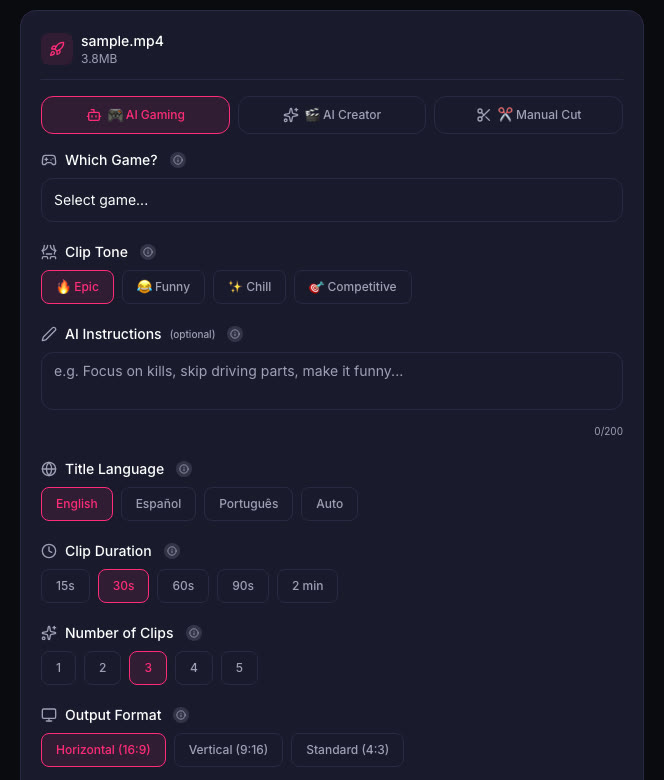
5. Edit before you post. A raw reaction is powerful, but trimming dead air and adding your commentary makes it more engaging. If you are cutting multiple clips from a long session, ViceForge can find the big reactions and key moments automatically.
Quick checklist
- Decide whether to stream the story live or play it off-stream
- Announce your spoiler policy to your audience before November 19
- Set your console to record gameplay (PS5 Create button presets or Xbox Share settings)
- Plan a follow-up video if the ending is divisive
- Keep Shorts at 60 seconds or less to avoid Content ID blocks
- Edit clips to remove dead air and add commentary
What Rockstar allows
Rockstar's policy allows occasional, non-commercial use of its games in videos and asks creators not to post isolated cutscenes or leaked material. It does not spell out monetization of GTA 6 videos. Rockstar keeps the right to remove content.
Sources
Written with AI assistance, then fact-checked and edited by Predrag Mitrovic.
Turn your next stream into Shorts
Upload a VOD or gameplay recording and ViceForge finds the best moments, cuts vertical clips and adds captions.
Clip a video with ViceForgeMore from GTA 6 News
Can You Monetize GTA 6 Clips on YouTube? What We Know
An honest answer: what YouTube's Partner Program requires, what Rockstar's policy says and does not say, and what reduces your risk with GTA VI clips.
How to Make a GTA 6 Funny Moments Compilation from Your VODs
Funny moments videos are a classic GTA format. How to collect moments across a week of streams, keep the pace up, avoid claims, and reuse the same moments as Shorts.
GTA 6 Launch Day Streaming Checklist
Everything to sort out before November 19: pre-load, capture settings, accounts, audio, VOD storage and a plan for clips. One list, in the order you need it.