GTA 6 Clips and YouTube Shorts: The 1-Minute Content ID Rule
YouTube blocks Shorts over 1 minute with any Content ID claim. Here's how to keep your GTA 6 clips online when radio music triggers claims.
YouTube Shorts can be up to three minutes long, but if your Short is longer than one minute and contains any Content ID claim, it will be blocked worldwide. Here is what the rule means for your clips and how to edit around it.
The one-minute Content ID rule
YouTube states that any Short over one minute with an active Content ID claim of any type will be blocked globally. The video will not be playable, will not be recommended, and will not be eligible for monetization.
This rule applies to all Shorts with claims, not only GTA 6 clips.
Shorts under one minute are not affected by this rule. If your Short is longer than one minute and has a claim, it will be blocked.
What triggers a claim in GTA 6 clips
Game publishers can claim gameplay through Content ID, and licensed music inside a game can be claimed by the owner of that music. GTA 6's radio stations play songs owned by labels, not by Rockstar. When a song is in your clip, the label's systems can find it and claim it.
A clip can be clear from Rockstar's side and still get claimed because of a radio track in the background.
How to keep Shorts online
1. Keep Shorts at 60 seconds or less. This keeps you under the one-minute threshold where the blocking rule applies.
2. Turn the radio down or off for key moments. Driving with no radio feels strange, but a chase with engine noise and your voice is still a great clip.
3. Check claims before you post. YouTube Studio shows Content ID claims after upload. If a Short is claimed and is longer than one minute, trim the music section or replace it before it goes live.
4. Talk over the gameplay. Your commentary is what makes a clip yours, and it also makes clips more fun to watch.
How ViceForge handles clip length
The maximum length depends on your plan: 15 seconds on Free, 60 seconds on Gamer Pro, 90 seconds on Creator Pro, and 2 minutes on Creator Elite.
Picking 30 to 60 seconds keeps clips under the one-minute line. You can edit or remove any clip before downloading.
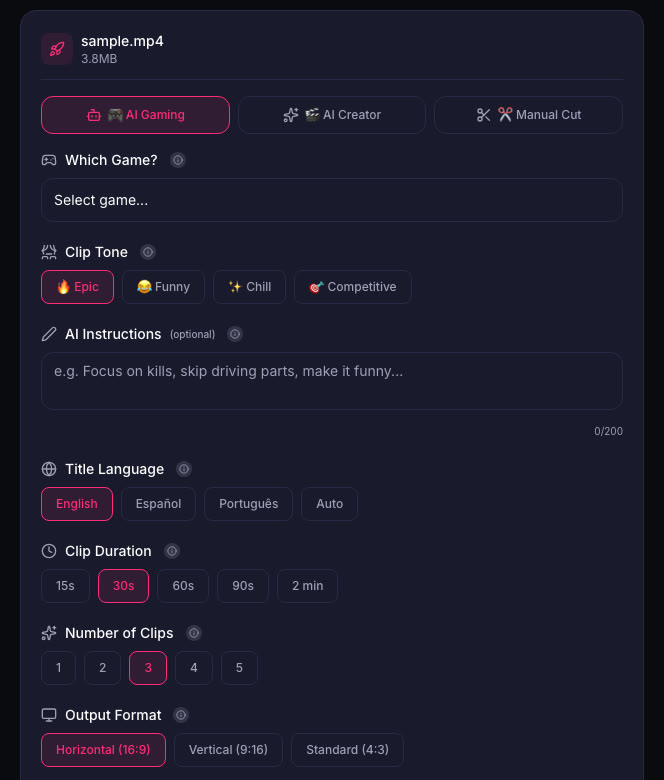
ViceForge keeps the original audio of your source video, including any music that was in the recording. It does not add, remove or mute music, so copyrighted music in the source stays in the clip and can still be claimed on YouTube.
Quick checklist
- Keep Shorts at 60 seconds or less to stay under the blocking threshold
- Turn the radio off or down during chases, crashes and other key moments
- Check YouTube Studio for claims after upload
- Trim or replace claimed sections before posting
- Talk over the gameplay to add your own voice
What Rockstar says
Rockstar's policy allows occasional, non-commercial use of its games in videos, asks creators not to post isolated cutscenes or leaked material, and keeps the right to remove content. It does not spell out monetization of GTA 6 videos. See Can You Monetize GTA 6 Clips on YouTube?.
Sources
Written with AI assistance, then fact-checked and edited by Predrag Mitrovic.
Turn your next stream into Shorts
Upload a VOD or gameplay recording and ViceForge finds the best moments, cuts vertical clips and adds captions.
Clip a video with ViceForgeMore from GTA 6 News
Burger Shot Expands Across Florida: What Streamers Should Clip
GTA 6's Burger Shot is now at Skinny Louie locations across Florida through December 31. Here's what to clip and how to tie in-game moments to real visits.
Rockstar's Viral Miami Clips Are GTA 6 Gameplay: What to Clip Now
Rockstar posted GTA 6 gameplay so real viewers thought it was filmed in Miami. Here's what the clips show and how to capture similar moments.
GTA 6 Festival Lottery Closes Today: How to Enter for Miami Event
Rockstar is hosting GTA 6: The Festival in Miami on November 21 with Cardi B, Travis Scott and others performing live. You cannot buy a ticket. Entry is through a lottery that closes today at 4:00...