GTA 6 Weather System: What Streamers Should Clip
GTA 6's weather damages planes, rocks boats and sends NPCs to shelter. Here's what weather moments make the best clips.
Storms damage your plane, rain affects your boat, and NPCs seek shelter. Here is what weather moments make the best clips and how to capture them when the game launches on November 19, 2026.
How weather affects gameplay
In an interview with Edge magazine, Rockstar co-studio head Aaron Garbut described GTA 6's weather system as "much more granular" compared to games where "it's either rainy or sunny or whatever." Cloud systems move independently, storms form in the distance and gradually move into town, and surfaces dry at different speeds after storms.
Wind moves through Vice City and causes trees to sway and waves to form in water. Islands and buildings intercept the force of wind and change the way an anchored boat bobs and sways along a shoreline. Your position in the boat matters. Garbut says, "Depending on where you are in your boat, you'll skip over that stuff or get really rocked around by it."
Flying a plane or helicopter through a storm causes turbulence and light damage if you stay in the storm too long. Citizens of Leonida seek shelter when severe weather passes through.
Weather moments that make good clips
1. Plane or helicopter damage from storms. Clip the moment the storm hits and how you handle it.
2. Boats rocking in rough water. Waves change depending on where you are in the boat and what is blocking the wind. A boat ride that turns rough is a short, visual moment.
3. NPCs seeking shelter. When a storm arrives, NPCs react. Clip the moment they run for cover or the empty streets after.
4. Surfaces drying at different speeds. Rockstar says surfaces dry at different speeds after storms. If you see wet pavement next to dry grass, that is a detail worth showing.
5. Storms forming in the distance. A storm that starts far away and moves into town is a slow build. Clip the moment it arrives or the contrast between clear sky and the storm front.
6. Wind effects on trees and water. Clip them when they are part of a bigger moment, like a chase or a crash.
Quick checklist
- Turn on recording before flying in a storm.
- Keep your boat recording when waves start to build.
- Clip NPC reactions when weather changes.
- Save clips of surfaces drying at different speeds.
- Record storms forming in the distance and moving in.
- Clip wind effects when they are part of a bigger moment.
How to record weather moments
PS5: Press the Create button and choose Save Recent Gameplay (15 seconds to 1 hour) or Start New Recording (up to 1 hour). Set your capture quality in Settings > Captures and Broadcasts > Captures > Video Clip Format. See GTA 6 PS5 Capture Settings: 4K WebM vs 1080p MP4.
Xbox: Press Share for a screenshot, hold for Record what happened. 4K HDR clips on the internal drive are up to 30 seconds. An external drive allows clips up to 60 minutes. See How to Record and Clip GTA 6 on Xbox Series X|S.
Capture card: Turn off HDCP in PS5 HDMI settings. Record at 1080p60 or 4K60 depending on your card.
Cutting weather clips
When you have a long recording with a weather moment, cut the clip to the moment that matters. ViceForge has a GTA game profile (sandbox genre) that finds action, kills, chases, crashes and big reactions, and cuts clips up to 60 seconds on Gamer Pro, 90 seconds on Creator Pro, or 2 minutes on Creator Elite. Every clip keeps the original audio, including any radio music that was in the recording.
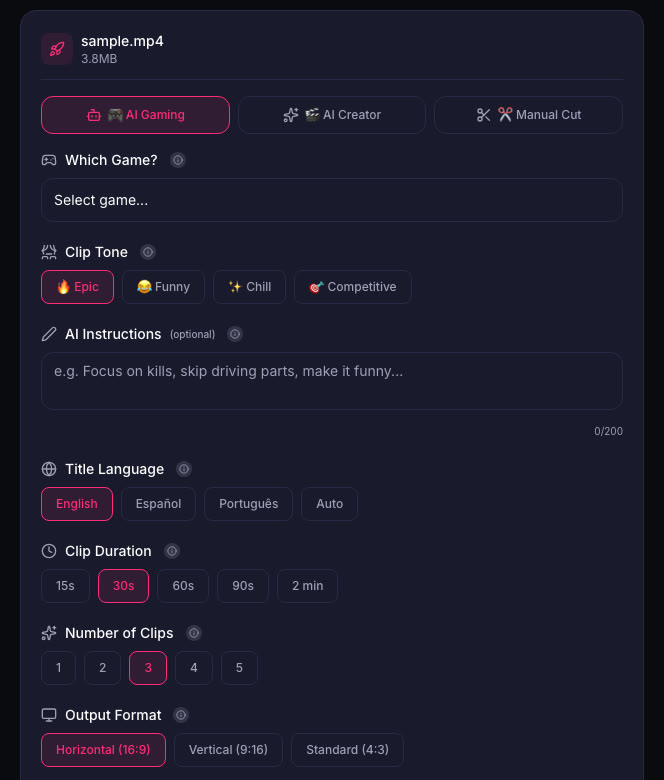
Weather moments are often part of a bigger moment. A storm that damages your plane is also a crash or a close call. A boat rocking in rough water is also a chase or a getaway. The AI finds the action and the weather is part of the clip.
What to avoid
Do not clip isolated weather footage. A storm forming in the distance is interesting when it is part of a bigger moment. A 60-second clip of clouds moving is not.
Do not clip every weather change. Weather changes are common in GTA 6. Clip the ones that affect gameplay or are part of a bigger moment.
Sources
Written with AI assistance, then fact-checked and edited by Predrag Mitrovic.
Turn your next stream into Shorts
Upload a VOD or gameplay recording and ViceForge finds the best moments, cuts vertical clips and adds captions.
Clip a video with ViceForgeMore from GTA 6 News

GTA 6 Pre-Load Starts November 10: Clear 212GB Now
Rockstar moved digital pre-loading to November 10, two days early. The file needs up to 212GB. Clear storage now to avoid launch day delays.

GTA 6 Pre-Orders Hit $751M: What This Means for Your Launch Coverage
GTA 6 pulled in $751 million from 7.71 million pre-orders. Here's what the numbers mean for streamers and clip creators on November 19.
Spectrum's Free GTA 6 Internet Upgrade: Download 212GB in 30 Minutes
Spectrum is offering eligible US customers a free internet speed upgrade this month so they can download GTA 6 faster. The promotion runs November 9 to 30, and with pre-load starting November 10...