GTA 6 Pre-Load Starts November 10: Clear 212GB Now
Rockstar moved digital pre-loading to November 10, two days early. The file needs up to 212GB. Clear storage now to avoid launch day delays.
If you pre-ordered digitally, start clearing storage now to avoid launch day delays.
Pre-load times
PS5: Tuesday, November 10 at midnight local time in your time zone.
Xbox Series X|S: Tuesday, November 10 at 12am GMT.
Physical code-in-box versions arrive at retailers starting November 12.
212GB means clearing space now
Rockstar confirmed the pre-load file requires up to 212GB depending on your device. That is roughly one third of a base PS5's available storage, one quarter of a 1TB model, and nearly half of an Xbox Series S.
When everyone starts downloading at once, console servers will slow down. Clear space today so the download can start the moment pre-loading opens.
Quick checklist
- Check your free space. Look in your console's storage settings.
- Delete games you are done with. Keep only what you will play in the next two weeks.
- Move clips to USB or cloud. Check your console's media gallery or upload options to free up space.
- Set your console to rest mode with internet on. The download continues while you sleep.
- Plan for a long download. Start it before bed on November 9 or 10 to give yourself plenty of time.
What this means for streamers and clip creators
Consider pre-loading early to give yourself time to fix storage problems, restart failed downloads, and test your stream setup before November 19.
If you plan to clip your first session, record it locally in 4K. PS5 auto-upload through the PS App stops at 1080p and only works for clips under 3 minutes.
Turn long sessions into clips
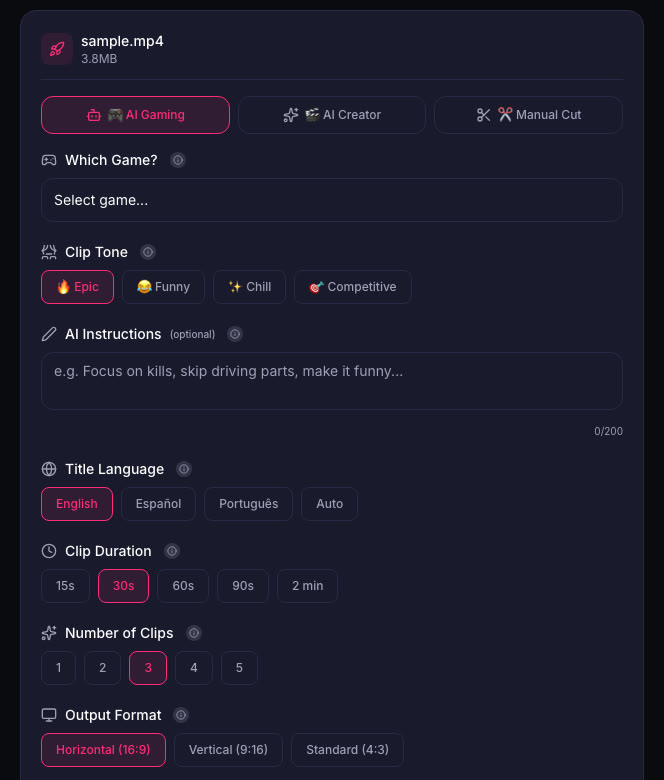
When you have hours of GTA 6 footage, ViceForge picks the action, kills, chases and crashes automatically. Upload your recording, pick GTA from the game list, and the AI finds the moments. Review the clips and download the ones you want to keep.
Sources
Written with AI assistance, then fact-checked and edited by Predrag Mitrovic.
Turn your next stream into Shorts
Upload a VOD or gameplay recording and ViceForge finds the best moments, cuts vertical clips and adds captions.
Clip a video with ViceForgeMore from GTA 6 News
GTA 6 Weather System: What Streamers Should Clip
GTA 6's weather damages planes, rocks boats and sends NPCs to shelter. Here's what weather moments make the best clips.
GTA 6 Pre-Orders Hit $751M: What This Means for Your Launch Coverage
GTA 6 pulled in $751 million from 7.71 million pre-orders. Here's what the numbers mean for streamers and clip creators on November 19.
Spectrum's Free GTA 6 Internet Upgrade: Download 212GB in 30 Minutes
Spectrum is offering eligible US customers a free internet speed upgrade this month so they can download GTA 6 faster. The promotion runs November 9 to 30, and with pre-load starting November 10...