GTA 6 Spoilers on Stream: Titles, Clips and Tags
Millions of players will avoid GTA VI story spoilers for weeks. How to name streams, clips and thumbnails so you get the clicks without burning your audience.
When GTA VI launches on November 19, 2026, some players will finish the story in a week and others will take months. The second group is huge, and they will block, unfollow or report anyone who spoils the story in a title or thumbnail.
Rockstar has not published GTA VI spoiler rules, and neither YouTube nor Twitch has a special rule for this game. This is about good practice, not policy. But it directly affects your growth.
The rule of thumb
Show gameplay, hide story. A chase, a crash, a heist going wrong, a funny NPC: all fine. A character dying, a twist, the ending: keep it out of anything people see before they click.
Stream titles
The title is the most visible spoiler risk, because it shows in directories and notifications.
- Bad: a title that names who dies or who betrays whom.
- Good: "GTA 6 Day 3: Story Mission Grind (Spoilers On Stream)"
- Good: "GTA 6 Free Roam: Vice City Police Chases"
Putting "Spoilers" in the title tells viewers what to expect without saying what happens.
Clips and Shorts
Short-form feeds autoplay. Nobody chooses to see your Short; it just starts. That makes Shorts the riskiest format for spoilers.
- Keep story clips for later, after launch week.
- In launch week, post free-roam moments, chases, glitches and reactions.
- Do not upload isolated cutscenes. Rockstar's general policy asks creators not to, and they are the biggest spoilers anyway.
Thumbnails
The thumbnail shows before the title is read. No ending scenes, no key reveals, no character in a situation that gives away the plot.
Tags and descriptions
Use spoiler words in your description to help viewers who want them: "GTA 6 ending explained (spoilers)". Viewers avoiding spoilers will not open it, and those who want it will find it.
Clipping a story stream safely
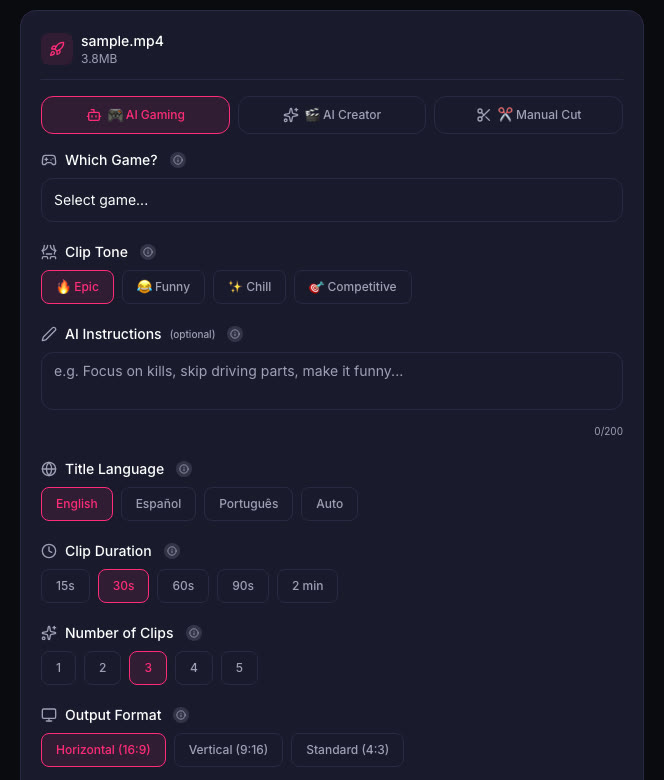
The easiest way to keep story out of your Shorts is to clip from your gameplay, not from cutscenes. When ViceForge cuts clips in AI Gaming mode, it looks for action, sound peaks and your reactions, and you can review every clip before downloading. Delete any clip that shows something it should not.
Quick checklist
- "Spoilers" in the title when story is on stream, never the spoiler itself.
- Free roam and action for Shorts in launch week.
- No isolated cutscenes.
- Story-free thumbnails.
- Review every clip before posting.
Sources
- Rockstar Games Support: Policy on posting copyrighted Rockstar Games material
- PlayStation Store: Grand Theft Auto VI (release date)
Written with AI assistance, then fact-checked and edited by Predrag Mitrovic.
Turn your next stream into Shorts
Upload a VOD or gameplay recording and ViceForge finds the best moments, cuts vertical clips and adds captions.
Clip a video with ViceForgeMore from GTA 6 News
Can You Monetize GTA 6 Clips on YouTube? What We Know
An honest answer: what YouTube's Partner Program requires, what Rockstar's policy says and does not say, and what reduces your risk with GTA VI clips.
How to Make a GTA 6 Funny Moments Compilation from Your VODs
Funny moments videos are a classic GTA format. How to collect moments across a week of streams, keep the pace up, avoid claims, and reuse the same moments as Shorts.
GTA 6 Launch Day Streaming Checklist
Everything to sort out before November 19: pre-load, capture settings, accounts, audio, VOD storage and a plan for clips. One list, in the order you need it.