Report: GTA 6 Reviews Before Launch, Plan Your Coverage
Insider Gaming reports GTA VI reviews will go live before November 19. Here's how to plan reaction content and spoiler-safe clips.
Insider Gaming reports that Grand Theft Auto VI reviews will go live before the November 19 launch. The outlet has learned the preliminary embargo date but is not sharing it because it may change. For streamers and clip creators, this is a window to plan reaction content, spoiler-safe clips and early commentary before players flood the servers.
Why this matters for creators
Insider Gaming notes that the news may surprise some, as many believed GTA VI would not have reviews. Reviews dropping early gives you time to record reactions, cut clips and publish commentary while the conversation is fresh.
Consider reading reviews ahead of time to help plan your launch day content and decide which topics you want to cover.
What to plan now
1. Schedule a reaction stream or video. Pick a time slot after the embargo lifts. Record your thoughts on the review scores, what critics say about the story, the map, the mechanics. Keep it short and focused.
2. Prepare spoiler-safe clips. Decide which parts you will discuss and which you will skip. See GTA 6 Spoilers on Stream: Titles, Clips and Tags for how to mark spoilers in titles and tags.
3. Cut a comparison table. List what reviewers say about the map size, mission variety, driving, shooting, online features. A table in a Short or a pinned comment adds value and gets shared.
4. Plan a "What the reviews got wrong" follow-up. After you play the game yourself, record a video comparing your experience to what critics said. This works well a week after launch when you have enough playtime.
5. Check the embargo time. Insider Gaming did not share the exact date because it may change. Follow Rockstar's social channels and gaming news outlets. Set a reminder to check the day before the embargo lifts.
Clips from your reaction stream
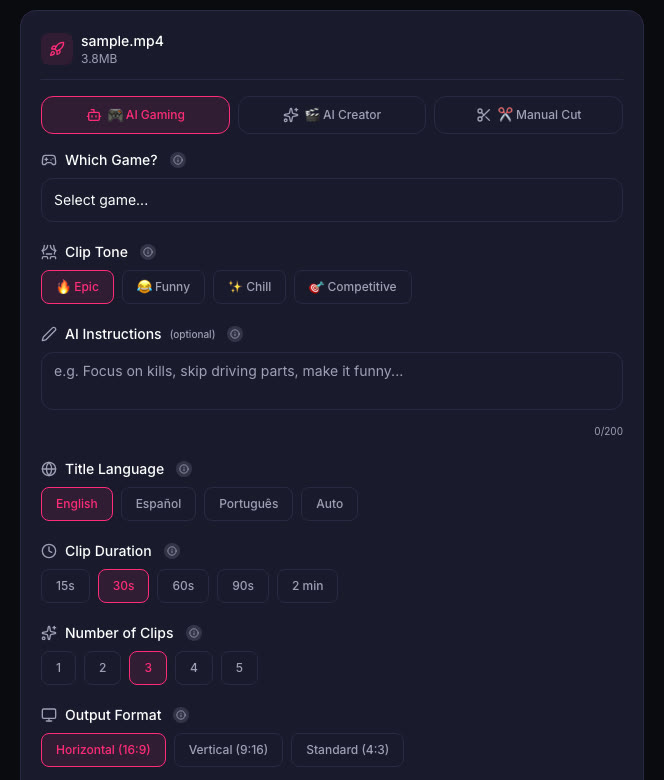
If you stream your reaction, save the VOD and cut clips from your best takes. Short clips of you reacting to a review score or a story detail work well as Shorts. YouTube Shorts can be up to 3 minutes long. ViceForge offers tools to help you edit and manage clips before downloading.
Quick checklist
- Follow Rockstar and gaming news outlets for the embargo date.
- Schedule a reaction stream or video after the embargo lifts.
- Decide which story details you will discuss and which you will skip.
- Prepare a comparison table or a list of key points from reviews.
- Plan a follow-up video after you play the game yourself.
- Save your reaction VOD and cut clips from your best moments.
What Insider Gaming says
The outlet reports that the embargo date is preliminary and subject to change. They also note that GTA VI is the most anticipated game ever made and is expected to be the fastest-selling game in history, with estimates of 50 million sales in one week.
Rockstar has not announced the embargo date. The report is unconfirmed.
Sources
- Insider Gaming: GTA 6 Reviews Released Before Launch
Written with AI assistance, then fact-checked and edited by Predrag Mitrovic.
Turn your next stream into Shorts
Upload a VOD or gameplay recording and ViceForge finds the best moments, cuts vertical clips and adds captions.
Clip a video with ViceForgeMore from GTA 6 News
GTA 6 Launch Week: Should You Take Time Off?
GTA 6 launches November 19. Should streamers take time off work or school to stream launch week, or stick to their regular schedule?
Can You Monetize GTA 6 Clips on YouTube? What We Know
An honest answer: what YouTube's Partner Program requires, what Rockstar's policy says and does not say, and what reduces your risk with GTA VI clips.
How to Make a GTA 6 Funny Moments Compilation from Your VODs
Funny moments videos are a classic GTA format. How to collect moments across a week of streams, keep the pace up, avoid claims, and reuse the same moments as Shorts.