GTA 6 Launch Week Clips: What Went Viral and Why
GTA 6's first weekend produced viral clips from painted tunnels to alligator chaos. Here's what moments work and how to find your own.
GTA 6 launched on November 19, 2026, and IGN collected the best spoiler-free clips from the first weekend. Here is what moments streamers and clip creators are clipping, why they work, and how to find your own viral-worthy footage now that the game is live.
What went viral
Lucia's kick. A clip of Lucia kicking someone so hard she falls to the ground herself hit Twitter/X and spread fast. The physics are exaggerated enough to be funny, and the moment is short and clear.
The painted tunnel. A mural on a wall in Vice City looks like a real tunnel. Players drive straight into it, Looney Tunes style. The gag is common enough that Rockstar probably planned it. The clip works because it is unexpected and relatable.
Unlucky traffic barrier. A passing car launched a traffic barrier into another player's path. The randomness is what makes it clip-worthy.
Alligators. Florida-inspired Leonida has alligators. Clips show players interacting with them in unexpected ways. Another shows a player petting a dog, then getting attacked by an alligator. The wildlife adds chaos.
Fire physics. A clip of gasoline spreading fire across the ground shows off the game's physics. Clips that demonstrate a system are easier to title and describe.
Half a car. A clip of an NPC opening a car door and driving off with half the car is pure absurdity. No setup needed.
Mind control. A player stole a jet using an EEG headset that reads brain activity. Another player with a Neuralink implant played the opening of the game. These are not typical gameplay clips, but they show what is possible and got attention because of the technology.
Graphics so real people mistake real life for the game. IGN reported that real photos and videos are being mistaken for GTA 6 screenshots. A live stream from influencer India Love, a photo of Jack Donoghue in a speedboat, and a 35mm film photo of a dog on a basketball court all got comments saying they looked like the game. The lighting and detail in GTA 6 are that good.
Why these clips work
Short and clear. The best clips are 15 to 60 seconds. The moment is obvious. You do not need to know the story.
Unexpected. A painted tunnel, a random traffic barrier, an alligator attack. The surprise is the clip.
Relatable. Everyone has driven into something they thought was a path. Everyone has had bad luck with traffic.
Physics and systems. Fire spreading, a car door opening and the car driving off in pieces. Clips that show how the game works are easy to title and share.
No spoilers. IGN's roundup is spoiler-free. The clips are from free roam, not story missions. That keeps them safe to post and watch.
What to clip in your own gameplay
Chaos moments. Crashes, explosions, alligator attacks, bad driver NPCs. Look for unexpected moments that happen during free roam.
Physics demonstrations. Fire, water, car damage, ragdoll falls. Show how the game reacts.
Funny NPC behaviour. NPCs doing something strange or unexpected. The half-car clip is a perfect example.
Your own reactions. A big reaction to a surprise moment makes the clip more fun to watch. Talk over the gameplay.
Short clips. Keep clips under 60 seconds for YouTube Shorts. A Short longer than 1 minute with any Content ID claim is blocked worldwide. See GTA 6 Radio Music and Copyright Claims: Keep Your Clips Online.
Avoid story spoilers. Stick to free roam moments. Story mission clips can spoil the game for viewers and may get you flagged. See GTA 6 Spoilers on Stream: Titles, Clips and Tags.
Quick checklist
- Record in 1080p or 4K. PS5 auto-upload stops at 1080p. See PS5 Auto-Upload for GTA 6 Clips: What Works, What Doesn't.
- Turn the radio down or off for key moments to avoid music claims.
- Keep Shorts at 60 seconds or less.
- Talk over the gameplay. Your commentary is what makes a clip yours.
- Check for claims in YouTube Studio before posting.
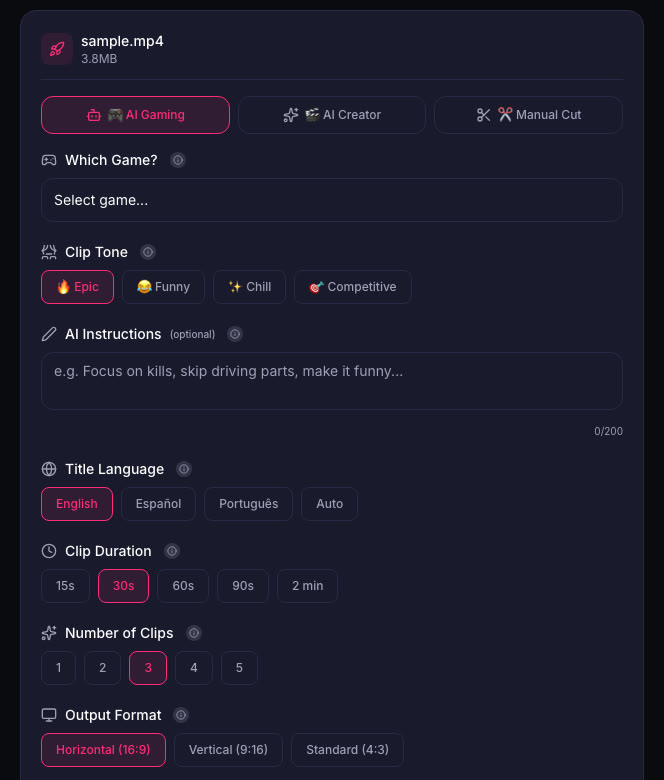
- Use ViceForge AI Gaming to cut clips from your recordings. Pick GTA as the game, set the clip length to 30 to 60 seconds, and the AI finds action, kills, chases, crashes and big reactions.
Sources
- IGN: Here Are All of the Best Clips From the World's First Weekend With GTA 6
- IGN: GTA 6 Looks So Good That Real Photos and Videos Are Being Mistaken as Screenshots From the Game
- IGN: GTA 6 Players Are Convinced Rockstar Painted a Fake Tunnel Just to Trick Them Into a Looney Tunes-Style Crash
- YouTube Help: Shorts longer than 1 minute and Content ID
Written with AI assistance, then fact-checked and edited by Predrag Mitrovic.
Turn your next stream into Shorts
Upload a VOD or gameplay recording and ViceForge finds the best moments, cuts vertical clips and adds captions.
Clip a video with ViceForgeMore from GTA 6 News

GTA 6 Dev Honors Late Mother With In-Game Memorial North of Hamlet
A Rockstar QA developer memorialized his late mother in GTA 6. The tribute is part of a wall north of Hamlet that includes other team members' lost family.
GTA 6 PS5 Crashes: Error CE-108255-1 Reported by Some Players
Some PS5 players report error CE-108255-1 blocking GTA 6 progress. Here are the workarounds that have helped and what to do while you wait.
GTA 6 Secret Radio Stations: Scan Posters to Unlock Hidden Playlists
GTA 6 hides two radio stations behind in-game posters. Scan four posters around La Perle to unlock Kodak Black's playlist, The Sniper of La Perle. Scan one poster at The Vault nightclub to unlock The...