Hasan Piker's $72.5M Lawsuit: What Streamers Should Know About Clip Context
Hasan Piker is suing over a clip that allegedly removed context. This case shows why every streamer needs to protect the meaning of their moments.
Twitch streamer Hasan Piker is suing commentator Scott Jennings for $72.5 million over a clip that allegedly stripped away context and made it look like Piker supported racial violence. The lawsuit, filed in October 2026, says a 42-second compilation rearranged and shortened parts of three Twitch broadcasts from October 2024, removing the debate footage, chat messages and surrounding context that showed what Piker was actually responding to. The complaint also notes that Piker's reputation and income depend on viewers, sponsors and commercial partners continuing to engage with his content. This case matters for every streamer and clip creator, because it shows how removing context from a clip can turn commentary into something completely different.
What the lawsuit alleges
According to the complaint, Piker was watching a debate between two political commentators on October 29, 2024. He mocked one speaker's argument about criminal justice policies, then later responded sarcastically to a viewer's criticism in the chat. The lawsuit says the full broadcast made it clear he was commenting on other people's arguments and reacting to a viewer.
A 42-second compilation began circulating on X on August 6, 2026. The complaint says it combined portions of three Twitch broadcasts, shortened several sections and rearranged the order of Piker's remarks. Jennings played the compilation on his show five days later, adding Piker's Twitch handle and a caption that presented a shortened line as a direct statement of Piker's own beliefs. The lawsuit says Jennings then used the clip to portray Piker as supporting the restoration of racial violence and tied him to a political campaign.
Jennings shared the segment on X, Instagram and Facebook. The lawsuit says the X post received approximately 2.5 million views, while the Instagram and Facebook posts reached about 250,000 views combined. Piker's attorneys sent Jennings a retraction demand on August 31, but the complaint says no correction followed.
Hasan is suing for defamation per se, defamation by implication and false light. He is seeking at least $27.5 million in compensatory damages and $45 million in punitive damages. The case is still at an early stage, and the allegations have not been tested in court.
Why context matters in your clips
This lawsuit is about a clip that allegedly changed the meaning of what someone said by removing the setup, the reaction and the surrounding conversation. That can happen to any streamer's content, whether it is edited by someone else or by you.
When you clip a moment from your stream, the title, the thumbnail and the clip itself all need to show what actually happened. A funny reaction to a viewer's message is not the same as a statement you made on your own. A sarcastic response to someone else's argument is not the same as your own opinion. If the clip does not show that, the audience sees something that did not happen.
What to keep in your clips
- The setup. If you are reacting to something, show what you are reacting to. If you are responding to a viewer, show the chat message or say it out loud.
- The tone. Sarcasm, mockery and exaggeration are clear when you watch the full stream, but a 30-second clip can strip that away. If the tone is not obvious in the clip, add it to the title or leave the moment out.
- The context. If you are watching someone else's video or debate, make sure the clip shows that. If you are reading a news article, show the headline or mention the source.
What to avoid
- Titles that turn a reaction into a statement. "Streamer says X" when you were actually mocking someone else's argument.
- Clips that start mid-sentence or mid-reaction, without showing what triggered it.
- Removing the part where you clarify, correct or explain what you meant.
How to clip with full context
Consider starting your clips a few seconds before the key moment and ending them a few seconds after to give viewers the setup and follow-up.
When you upload a VOD to ViceForge, the AI picks moments based on what happens and what is said. With AI Reads Speech turned on, the AI listens to the actual words and uses funny lines, quotes, strong statements, reactions and hype to pick better moments. Clip titles then describe what was actually said. This works in both AI Gaming and AI Creator modes and is available on Creator Pro and Creator Elite.
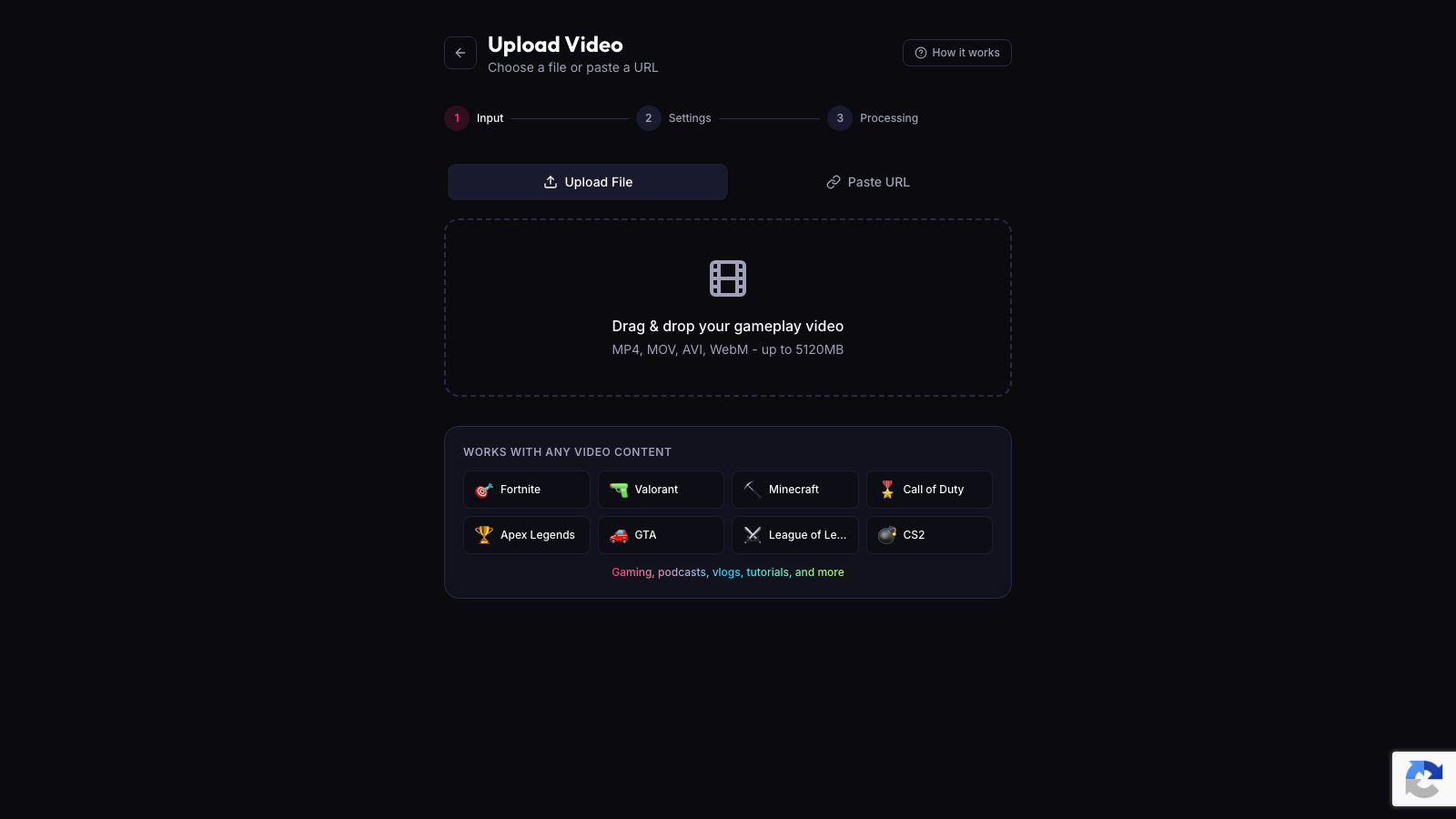
Check each clip and title before you post to make sure the context is clear. If you were quoting someone else, responding to a viewer, or being sarcastic, verify that the clip shows that.
Quick checklist
- Watch the clip before you post it. Does it show what actually happened?
- Read the title. Does it match what you said and how you said it?
- If you were reacting to something, is that clear in the clip or the title?
- If you were being sarcastic, does the clip show that, or do you need to change the title?
- If the clip could be misunderstood without the full stream, add context to the title or leave it out.
What this means for how you share clips
Once a clip is shared, it can travel far. The X post in this lawsuit received 2.5 million views. The Instagram and Facebook posts reached about 250,000 views combined. Once a clip is out there, you cannot control who shares it, how they title it or what they say about it.
If you share your own clips on X, Instagram or TikTok, the title and caption are the only context most viewers will see. They will not watch the full stream. They will not read the description. They will see the clip, the title and the first line of the caption, and that is it.
That means the title and caption need to be accurate. If the clip shows you reacting to something, say what you were reacting to. If the clip shows you being sarcastic, make that clear. If the clip could be misunderstood, do not post it.
What happens if someone else clips your stream
Consider reporting content that violates platform rules, though this process can be slow and the clip may continue to spread while you wait. You can also post your own version of the moment with the full context. If the misleading clip is getting a lot of attention, consider posting a response video that shows the full stream and explains what you were actually saying.
Sources
Written with AI assistance, then fact-checked and edited by Predrag Mitrovic.
Turn your next stream into Shorts
Upload a VOD or gameplay recording and ViceForge finds the best moments, cuts vertical clips and adds captions.
Clip a video with ViceForgeMore from Guides
TikTok Must Eat Guide: What Food Creators Should Know
TikTok launched Must Eat, an in-app restaurant guide built on 40 million posts. Here's how food creators can use it to reach diners.
AI Hook: Adjust the Peak and Add a Card Between Moments
Every AI Hook clip has two parts you can adjust separately. Trim the peak, move the build-up, or add a custom card between them.
AI Hook: The 'A Few Moments Later' Card Explained
The optional card sits between your hook and main moment. Change the text, narrator, length and background per clip.